What improves a MakerWorld listing?
A strong MakerWorld listing explains the print in seconds: clear real photos, searchable title, useful description, accurate category signals, practical tags and visual proof that the object works.
Optimization is not keyword stuffing. It is packaging the model so people and algorithms can understand the same thing: what it is, who it is for, how it prints and why it is worth downloading.
MakerWorld listing checklist
- Use a title that names the object, not only the style.
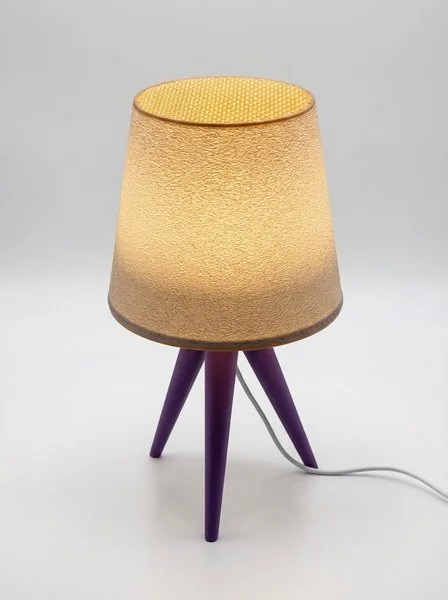
- Show a real printed version early in the gallery.
- Include at least one image with scale, context or use case.
- Write a description that covers use, print orientation, material suggestions and practical notes.
- Add tags that match category, function, room, object type and buyer intent.
- Connect the listing to related models when you have a collection or product line.
Gallery structure that converts
Hero image
Clean thumbnail with strong silhouette and contrast so the object reads at small size.
Real printed proof
Shows that the model exists as a physical print and helps build trust with makers.
Detail image
Close-up of texture, surface, openings, edges or functional details.
Lifestyle image
Places the object in a room, desk, shelf or use context so people understand scale.
Using AI tools without losing trust
For MakerWorld and similar platforms, real photos remain important because they prove printability. AI images should complement that proof by adding context, color variants and cleaner lifestyle scenes. The best listings mix real printed evidence with polished supporting visuals.
Snap2Gallery is built for that workflow. It starts from four real photos of a 3D print, then creates a six-image gallery, a marketplace-ready title, a richer SEO description and 50 tags. Adding an STL can help the tool understand proportions for lifestyle images.
MakerWorld optimization FAQ
What improves a MakerWorld listing?
Clear photos, a searchable title, useful description, relevant tags and proof that the object prints cleanly.
How many images should a 3D print listing include?
Use enough images to cover hero view, real print proof, details, scale and use case. Six strong images are often better than a long gallery of repeated angles.
What does Snap2Gallery create for listings?
A six-image product gallery, title, SEO description and 50 tags from four photos of a real 3D print.